
Inside a Gallery Build: How We Wire and Test Studio Systems
A behind-the-scenes account of how a gallery integration is carried out, from the first cable schedule to the final run-through, written from the audio side of the desk.
Starting with a drawing, not a delivery
Every integration we carry out begins on paper. Before a single rack is moved, Daniel Pryce draws the signal path from each camera and microphone through the vision mixer, the monitor wall, the intercom and out to playout. I read those drawings from the audio side, because a gallery that looks tidy on a diagram can still hide a ground loop or a badly placed return feed.
We walk the room with the drawing in hand and compare it with what is really there: the cable routes, the rack positions, the distance from the desk to the studio floor. Small surprises show up at this stage, such as a conduit that is fuller than the plan assumed, and they are far cheaper to deal with before anything is ordered or pulled through.
The drawing also becomes the shared language for the whole project. The client's engineers, our team and any outside installer all work from the same revision, with dates on it, so nobody is wiring from a version that was superseded last week.
- Signal path drawn from source to playout
- Site walk checked against the drawing
- One dated revision shared by everyone
Labelling and cable discipline
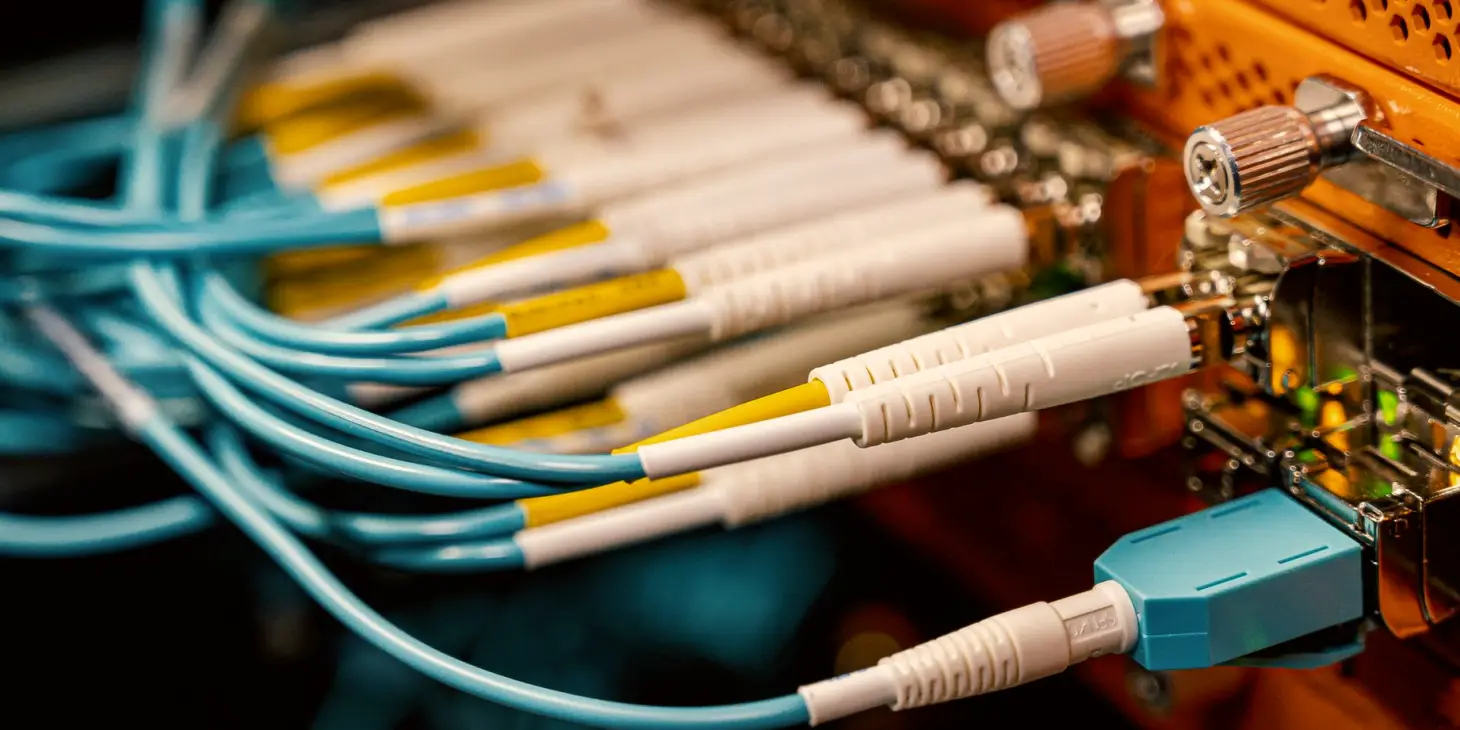
The least glamorous part of the work is also the part clients thank us for months later. Every cable gets a label at both ends, and the label matches an entry in a schedule that lists its source, destination, type and length. When something fails during a live programme, the person on shift can follow the schedule rather than guess.
Daniel insists on separating cable types by function as far as the room allows. Audio runs are kept away from power and from long video runs where we can manage it, and where they must cross, they cross at right angles. It sounds fussy, but it removes a whole class of hum and interference before it ever appears.
We leave service loops at the rack and at the desk, so equipment can be moved or replaced without stretching connectors. A rack built this way looks calm, and calm racks are quicker to repair at an awkward hour.
Bringing the gallery up in stages
We do not switch everything on at once. The gallery is brought up in stages: power and clocking first, then video routing, then monitoring, then audio, then intercom. At each stage we confirm that what we have built behaves as the drawing says before adding the next layer. If something is wrong, the cause sits in a small, known set of changes.
Synchronisation deserves particular patience. A single device running to the wrong reference can produce a fault that only appears on certain sources or after a few minutes, and those are the faults that eat an afternoon. We check reference signals early and record what each device is locked to.
Priya's part of this is the audio chain. I check levels at every hand-off, confirm that embedded and discrete audio arrive where expected, and listen on the control room speakers as well as on headphones, since the two often tell different stories.
- Power and reference first
- Video routing, then monitoring
- Audio and intercom last, checked at each hand-off
Testing the way the gallery will be used
A system that passes a bench test can still fail on a busy morning. So we test with the gallery crew, using a mock running order that includes the awkward moments: a late guest, a source that drops, a switch between two presenters with microphones open. We want the team to meet the problems with us beside them, not alone on air.
During these runs we note every small friction. A monitor that is hard to read from the director's seat, an intercom button placed where an elbow will catch it, a talkback level that is too quiet against the studio floor. None of these is a fault in the strict sense, but all of them matter in a live programme.
We repeat the awkward moments until the crew handles them without looking at us. That is a better measure of a finished build than any tick on a checklist.
Documentation that people will actually open
When the build is done, the client receives a written handover: the final drawings, the cable schedule, the settings of each device, the reference arrangement and a short guide to common faults and their first checks. We write it for the engineer who was not there during installation and who may be reading it at the start of an early shift.
We keep the language plain and the layout consistent. A fault page lists the symptom, the likely cause, what to check first and when to call us. Daniel photographs the finished racks and attaches the images, because a photograph settles questions that a paragraph cannot.
This is the work that tends to go unnoticed on a good day. On a bad day it is the first thing anyone reaches for.
- Final drawings and cable schedule
- Device settings and reference arrangement
- Symptom-led fault guide
What the autumn schedule teaches us
Mid autumn is when many studios return from quieter summer schedules to full news and interview output, and it is when small weaknesses in a gallery start to show. A cable disturbed during a summer tidy, a firmware update applied without a note, a monitor moved and never put back: these are common causes of early autumn faults.
If you are planning changes before the winter schedule, schedule the testing as carefully as the installation. Allow time for a complete run with the crew and keep the previous configuration saved so you can return to it quickly if needed.
Nothing here needs special equipment. It needs a drawing, a schedule, patient staging and a crew that has rehearsed the awkward moments.
Integration looks like technology from the outside, but most of it is care: a clear drawing, labelled cables, staged power-up, rehearsal with the people who will use the room, and a handover someone can read at speed. None of it is complicated. All of it is easy to skip when time is short, and skipping it is what leads to trouble on air.
Priya Nair
Acoustics and Audio SpecialistPriya measures and treats studio spaces so dialogue is intelligible on air and in the control room.
Send us a message
- Phone
- 01305 842160
- By email
- [email protected]